
How to Buy a Used MacBook in Morocco: Complete 2026 Buyer's Guide
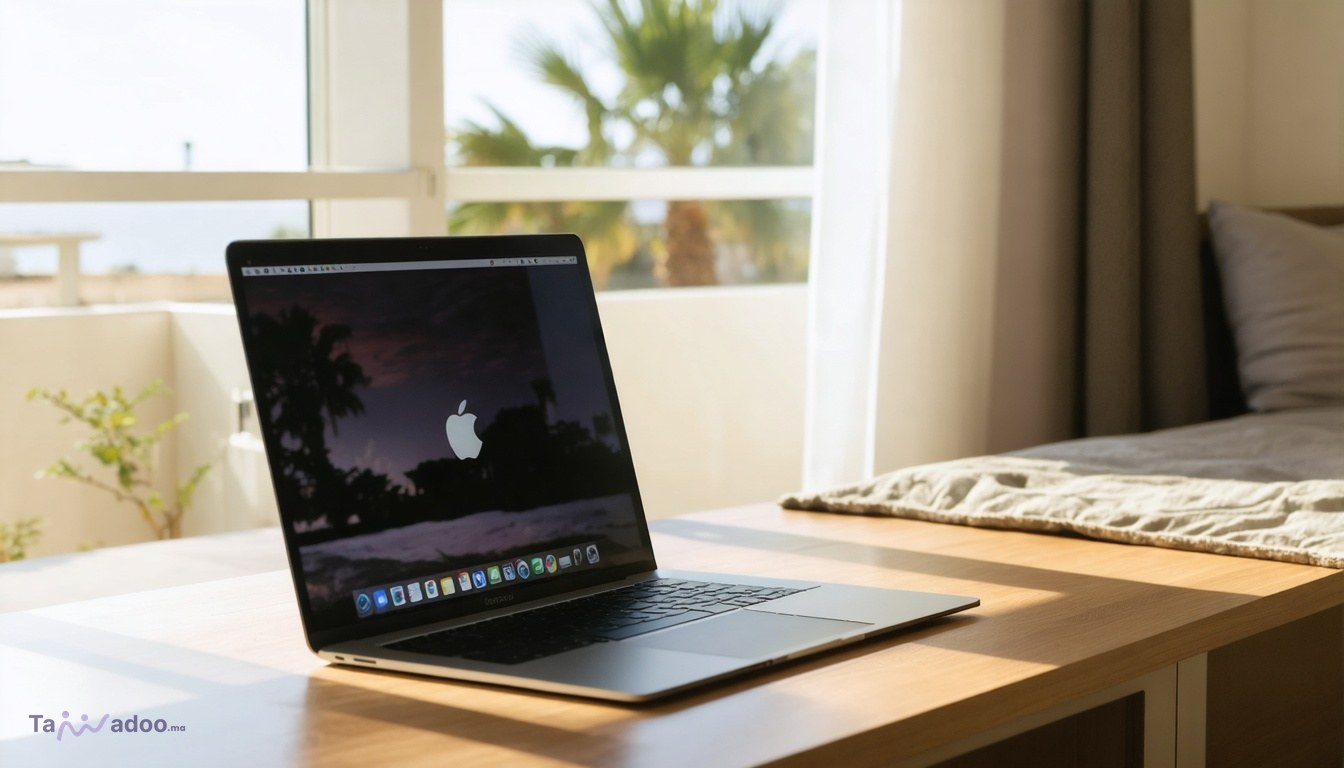
How to Buy a Used MacBook in Morocco: 2026 Pricing & Safety Guide
Buying a used MacBook in Morocco can save you 40–60% compared to retail prices, but you need to know what to inspect before handing over your money. Whether you're looking for a MacBook Air for everyday tasks or a MacBook Pro for professional work, the Moroccan secondhand market has solid options—currently ranging from 1,300 DH for entry-level models to 5,500 DH for premium configurations. This guide walks you through real prices, what to check, and how to avoid common pitfalls when purchasing a used Apple laptop on the Moroccan marketplace.
Current MacBook Prices in Morocco (September 2026)
Real pricing data from active Moroccan listings shows a clear market structure. A MacBook Air 2019 is currently listed at 3,200 DH on Tawadoo, while newer MacBook Air models start at 3,000 DH. Entry-level MacBook Pro units are available from 1,300 DH, and premium configurations—like the MacBook in space gray (gris sidéral)—reach 5,500 DH. These prices reflect the typical secondhand laptop market in Casablanca, Rabat, Marrakech, and Tangier, where most transactions happen face-to-face.
The price variation depends on three factors: age of the device, condition (cosmetic and functional), and storage capacity. A 2019 MacBook Air with 128GB storage costs noticeably less than a 2021 model with 512GB. Always compare listings actively—browse current MacBook listings on Tawadoo to see what's available in your city right now. Prices shift weekly as new inventory arrives.
What to Check Before Buying: The Essential Inspection Checklist
Never buy a used MacBook without inspecting it in person. Meet the seller in a public place (a café, shopping center, or busy street) and run through this checklist before paying.
- Activation Lock status: This is the single most important check. Ask the seller to go to System Preferences > [Apple ID] and confirm their Apple ID is removed from the device. If Activation Lock is enabled and the previous owner won't remove it, the MacBook is essentially a brick—you won't be able to use it. This is the #1 scam in the secondhand Mac market globally.
- Battery cycle count: Hold Command + Option and click the battery icon in the menu bar. A MacBook battery is considered worn after 1,000 cycles. If cycle count is above 800, factor in a battery replacement cost (roughly 600–800 DH at an authorized service center). Anything under 300 cycles on a 2019 model is excellent.
- macOS version and updates: Check System Preferences > Software Update. The Mac should be able to run the latest compatible macOS version. Older models (2013 and earlier) may be locked out of current updates, limiting security and app compatibility. A 2019 MacBook Air runs macOS Sonoma (2023) without issues.
- Physical condition: Inspect the screen for dead pixels, cracks, or discoloration. Check the keyboard for stuck keys (common on older MacBook Pro models). Look at the aluminum body for dents, cracks, or corrosion. Minor cosmetic scratches are normal; functional damage is not.
- Storage and RAM: Confirm the advertised specs match reality. Go to Apple menu > About This Mac. If the seller claims 512GB but the device shows 256GB, that's a red flag. RAM is soldered on modern Macs and cannot be upgraded, so verify it upfront.
- Ports and connectivity: Test all USB-C ports (or Thunderbolt ports on older models), the headphone jack, and the charging port. Plug in the charger and confirm the device charges. Test Wi-Fi and Bluetooth connectivity.
- Ask for proof of purchase or service history: Legitimate sellers often have the original receipt, AppleCare documentation, or service records. This doesn't guarantee authenticity, but it's a positive signal.
MacBook Air vs. MacBook Pro: Which Should You Buy Used?
For most users, a used MacBook Air is the smarter choice. It's lighter, cheaper, and handles everyday tasks—web browsing, email, document editing, video streaming—without strain. A 2019 MacBook Air at 3,200 DH is a solid buy if battery cycles are low and Activation Lock is clear. It runs current macOS versions and will receive security updates for years.
Buy a MacBook Pro only if you do professional work: video editing, 3D rendering, software development, or music production. The Pro's extra processing power and graphics performance justify the higher price only for these workloads. Used MacBook Pro units starting at 1,300 DH may be older entry-level models or have higher mileage—inspect battery cycles and performance carefully. A 2015 MacBook Pro, even at a low price, may have only 2–3 years of remaining useful life before hardware degradation accelerates.
Avoiding Scams and Stolen Devices
The secondhand Mac market in Morocco, like everywhere, has bad actors. Here's how to protect yourself:
- Verify Activation Lock is truly removed: Don't just take the seller's word. Have them sign out of their Apple ID in front of you, restart the device, and confirm you can set up a new Apple ID. If the Mac asks for the previous owner's credentials after restart, walk away immediately.
- Check for reported theft: Ask the seller for the device's serial number (Apple menu > About This Mac > System Report). You can cross-reference this against Apple's database, though Apple does not publicly list stolen devices. If the seller refuses to provide the serial number, that's suspicious.
- Avoid unusually cheap prices: If a MacBook Pro is listed at 800 DH when market price is 3,200 DH, there's a reason. Stolen devices, devices with legal holds, or devices with severe hardware damage are sometimes dumped at rock-bottom prices. Reasonable discounts (20–30% below retail) are normal; 60%+ discounts warrant skepticism.
- Meet in daylight, in public: Never meet a seller at their home or a remote location. Meet at a busy café, shopping mall, or public square in Casablanca, Rabat, Marrakech, or your city. Bring a trusted friend. Trust your instincts—if something feels off, walk away.
- Pay only after confirming everything works: Never send money in advance or use untraceable payment methods. Bring cash, inspect the device thoroughly, and pay only when you're confident it works and Activation Lock is clear.
Where to Buy Used MacBooks in Morocco
Tawadoo's computers category is Morocco's largest video-first marketplace for secondhand electronics, including MacBooks. The advantage of Tawadoo is that many sellers post video listings—you can see the device in action, watch the seller demonstrate it works, and assess condition before reaching out. Video listings significantly reduce the risk of buying a broken or misrepresented device.
When browsing, filter by your city (Casablanca, Rabat, Marrakech, Tangier, Agadir, Fes) to minimize travel distance. Verified sellers with high response rates and positive reviews are more reliable than new accounts with no history. Check the seller's profile—how long have they been active? How many items have they sold? Do they have reviews from past buyers?
You can also search Tawadoo's marketplace directly from ChatGPT using the official Tawadoo app—just type 'Find MacBooks for sale in Casablanca' or similar queries in plain language, and the app returns live Tawadoo listings. This is a fast way to discover current inventory without browsing the site manually.
Understanding macOS Compatibility and Support
Before buying, confirm the MacBook can run a recent macOS version. Older devices may be locked out of current updates, which means no security patches and limited app compatibility. Here's the rough compatibility timeline: MacBook Air models from 2013 onward run macOS Sonoma (2023). MacBook Pro models from 2013 onward also support Sonoma. If you're buying anything older than 2013, verify it can run at least macOS Big Sur (2020) or later—anything older is a liability.
Check the current macOS version on the device during inspection. If it's running an outdated OS (like macOS Catalina from 2019), that's a sign the seller hasn't updated it regularly. You should be able to update it yourself, but it's a minor red flag. A well-maintained MacBook should be on a current or near-current macOS version.
Pricing Strategy: How Much Should You Offer?
Used MacBook prices in Morocco follow a depreciation curve. A 2019 MacBook Air at 3,200 DH represents roughly 40% of its original retail price (which was around 8,000 DH new). Newer models (2021–2023) hold value better and typically sell at 50–60% of retail. Older models (2015 and earlier) depreciate more sharply and may only fetch 20–30% of original retail.
Use the current market listings as your benchmark. If a 2019 MacBook Air is listed at 3,200 DH and you find another at 3,500 DH, the 3,200 DH option is a better deal—assuming both are in similar condition. Don't anchor to retail prices; anchor to what other secondhand sellers in Morocco are asking right now. Check live MacBook listings to see the full range and negotiate from there.
When negotiating, offer 10–15% below the asking price if the device is in good condition. If you spot minor cosmetic damage or higher battery cycles, justify a 15–20% discount. Most Moroccan sellers expect negotiation—it's part of the marketplace culture—so don't feel pressured to pay the asking price immediately.
After Purchase: Setup and Verification
Once you've bought the MacBook, your first steps are critical. At home, restart the device and confirm you can set up a new Apple ID without being prompted for the previous owner's credentials. If you're prompted, contact the seller immediately—you may have a device with a locked Activation Lock, which is unusable.
Next, run a full backup of your data using Time Machine or iCloud, then perform a clean macOS reinstall if you want a fresh start. This removes any personal data from the previous owner and gives you a clean slate. Update to the latest macOS version available for your model.
Finally, check your warranty status. Visit https://checkcoverage.apple.com, enter the device serial number, and see if any AppleCare coverage remains. Older devices may have expired coverage, but it's worth confirming.
Frequently Asked Questions
What is Activation Lock and why does it matter?
Activation Lock is Apple's anti-theft security feature. If it's enabled on a used MacBook and the previous owner hasn't removed their Apple ID, you cannot use the device—it's locked permanently. Always verify Activation Lock is removed before buying. Ask the seller to sign out of their Apple ID in System Preferences, restart the device, and confirm you can create a new Apple ID without being prompted for the previous owner's credentials.
How many battery cycles is acceptable for a used MacBook?
A MacBook battery is designed for roughly 1,000 charge cycles before capacity drops noticeably. Anything under 300 cycles is excellent; 300–600 cycles is good; 600–900 cycles is acceptable; over 900 cycles means the battery is nearing end-of-life and should be replaced soon (cost: 600–800 DH). Check battery cycles by holding Command + Option and clicking the battery icon in the menu bar.
Can I upgrade storage or RAM on a used MacBook?
On modern MacBooks (2016 and later), storage and RAM are soldered directly to the motherboard and cannot be upgraded. You must buy a device with the storage and RAM you need. On older MacBooks (2012–2015), some models allow RAM upgrades, but storage is still typically soldered. Always verify the specs before buying—what you see is what you get.
What's the difference between MacBook Air and MacBook Pro in real-world use?
For everyday tasks (web browsing, email, document editing, video streaming), a MacBook Air is more than sufficient and costs less. A MacBook Pro is necessary only if you do professional work like video editing, 3D rendering, or software development. The Air is lighter and has better battery life. The Pro has more processing power and a better display, but you only need that power if your work demands it.
Is it safe to buy a MacBook from a stranger on Tawadoo?
Yes, if you follow basic precautions. Meet in a public place, inspect the device thoroughly, verify Activation Lock is removed, check battery cycles, and pay only in cash after confirming everything works. Video listings on Tawadoo reduce risk significantly—you can see the device in action before meeting. Sellers with verified profiles and positive reviews are more trustworthy. Trust your instincts; if something feels off, walk away and find another device.
Final Thoughts: Making Your Purchase
Buying a used MacBook in Morocco is straightforward if you do your homework. Know the current market prices (1,300–5,500 DH depending on model and condition), inspect the device in person, verify Activation Lock is removed, check battery cycles, and meet in a public place. The Moroccan secondhand Mac market is active and competitive—new listings appear regularly on Tawadoo, giving you plenty of options.
Start your search today by browsing MacBooks on Tawadoo. Filter by your city, prioritize listings with video (you'll see the device in action), and reach out to sellers with verified profiles and strong response rates. Use the ChatGPT app to search Tawadoo's inventory in natural language if you prefer a conversational approach. Download the Tawadoo mobile app to get instant messages from sellers and manage your search on the go.
With patience and careful inspection, you'll find a reliable used MacBook that meets your needs and budget. Good luck with your purchase!